Servestack
FeaturesStudioSolutionsRestaurantsPricingIntegrationsCompareResourcesFree toolsAbout
Log inBook a demo

Servestack

Get connected with Servestack on social.
Don't miss our launches and case studies.
FeaturesStudioPricingLocationsCase studiesBlogSolutionsFree toolsDemo restaurantRefer a restaurantPartnersAboutContactPrivacyTerms
© 2026 Servestack Inc. Built in Boston, MA. All rights reserved.
Back to top
Home/Studio/By restaurant/Pizza
Servestack Studio for restaurants

Pizza social media posts for pizzerias

Your pies, your prices, and a post for every night people decide what's for dinner.

Start freeSee Servestack Studio
$49/month600 credits includedCancel anytime
Made for Boston PizzaAI

Pizza is the easiest food in the world to make look good and one of the hardest to post about every week. The pie always looks great coming out of the oven. The trouble is finding the time to shoot it, write the price, size it for Stories and still remember that Friday's family deal needs to go up before people start texting each other about dinner.

Studio is built around what a pizzeria actually posts. You add your menu once and upload the pie photos and phone clips you already have. From there, a slice-and-pie price card, a Friday deal, a dish video of your best seller or a Reel of the cheese pull comes out with the right name and price already on it.

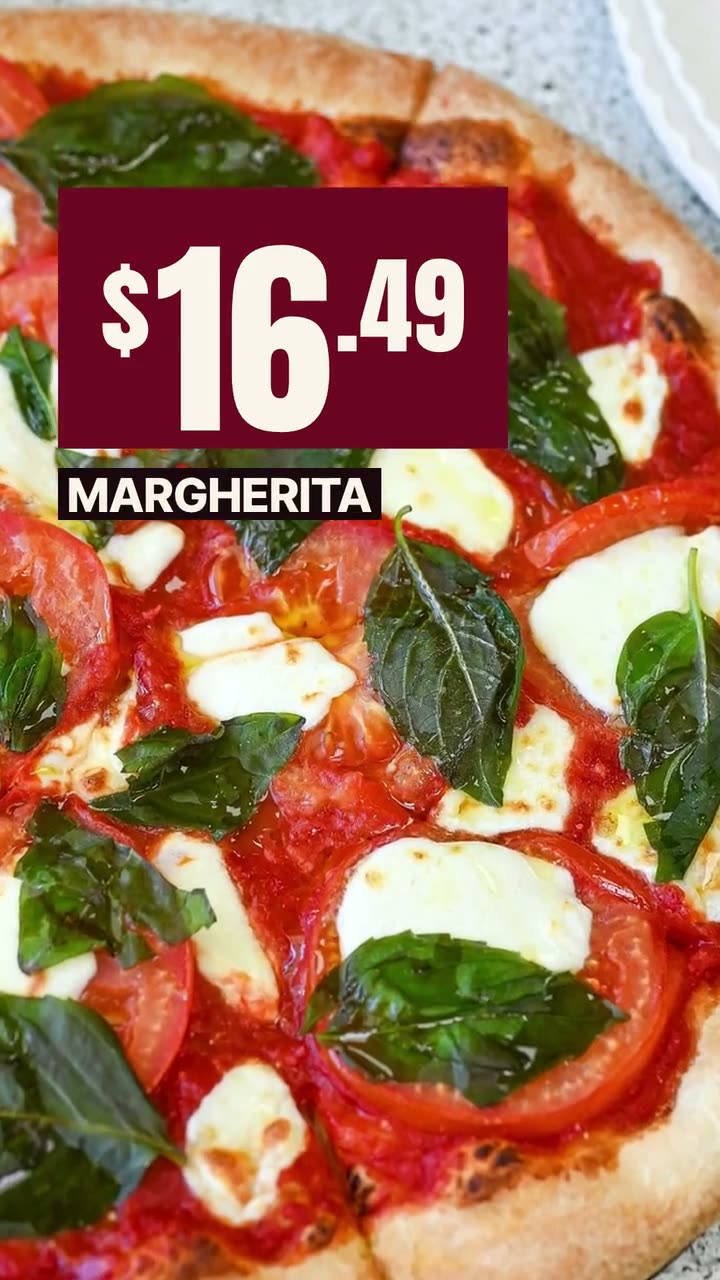
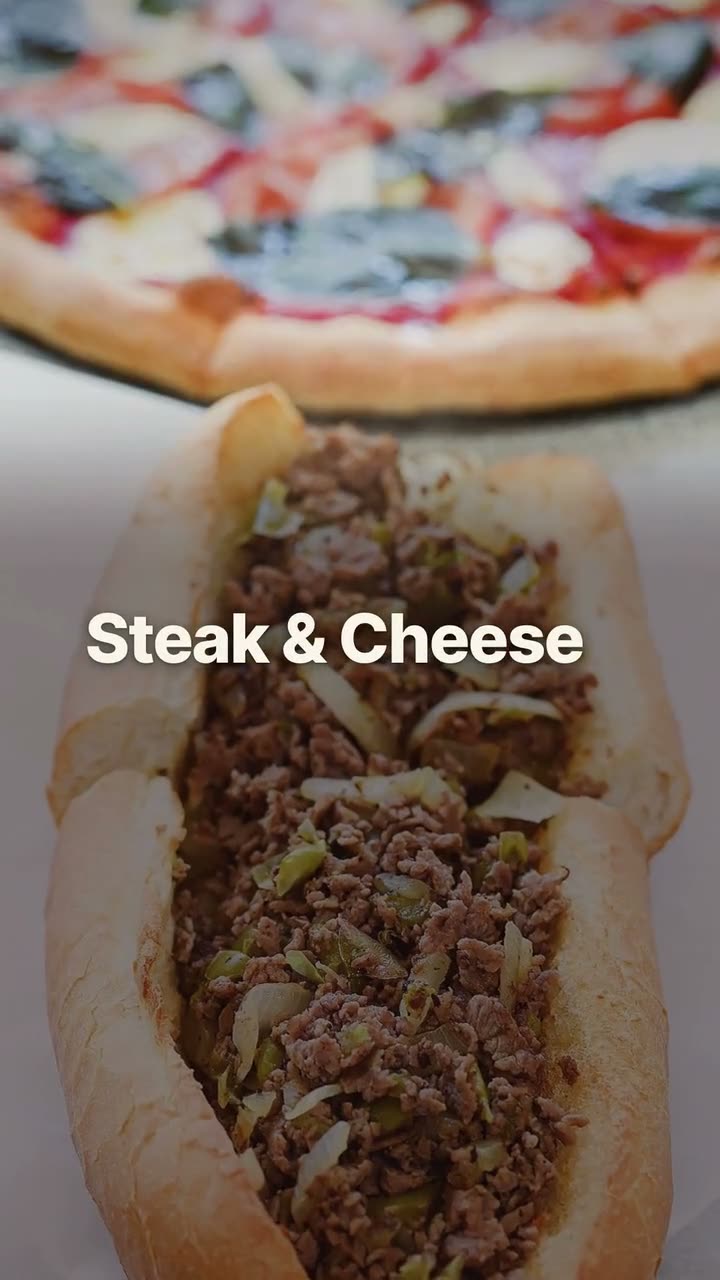
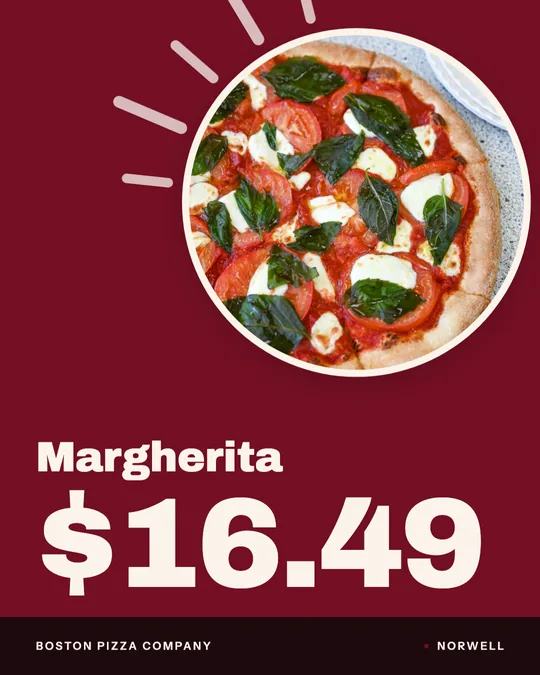
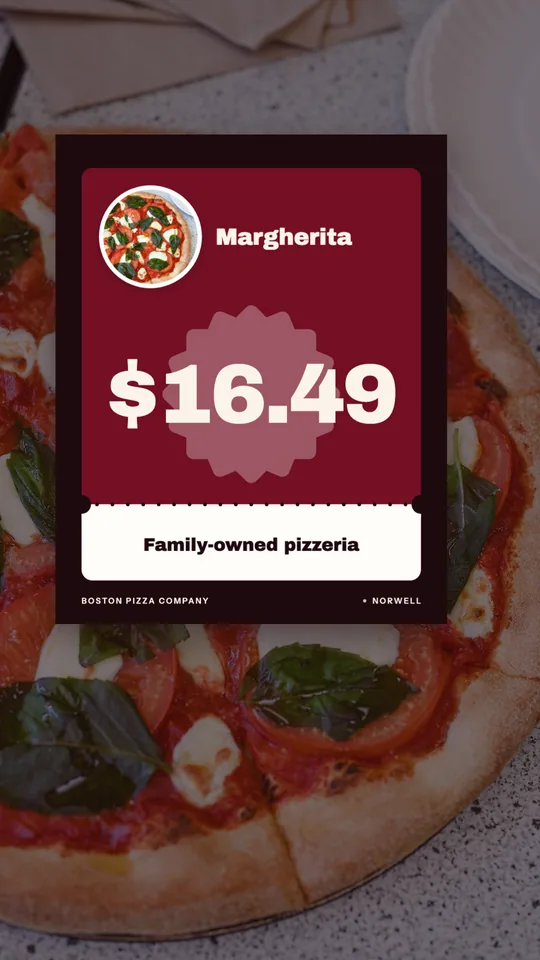
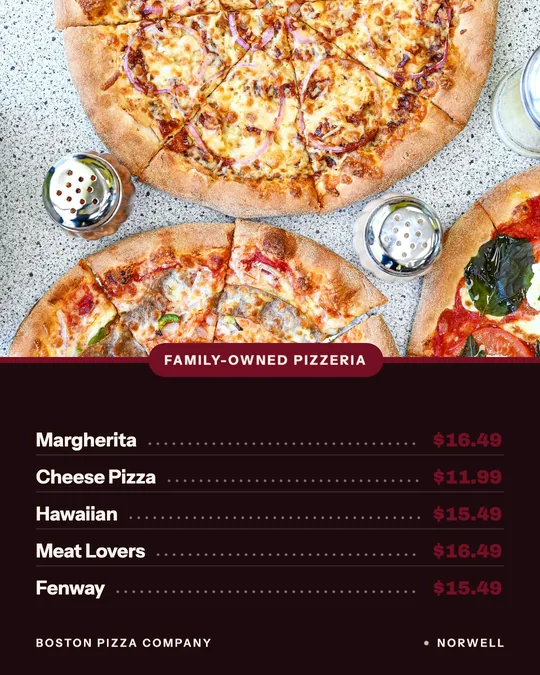
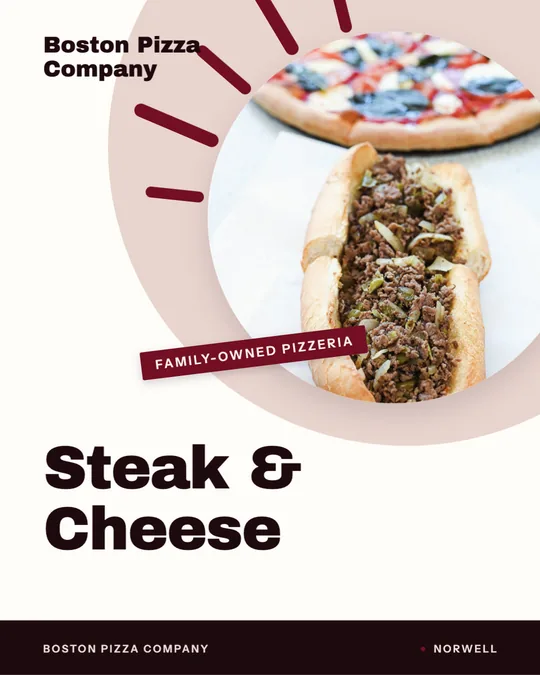
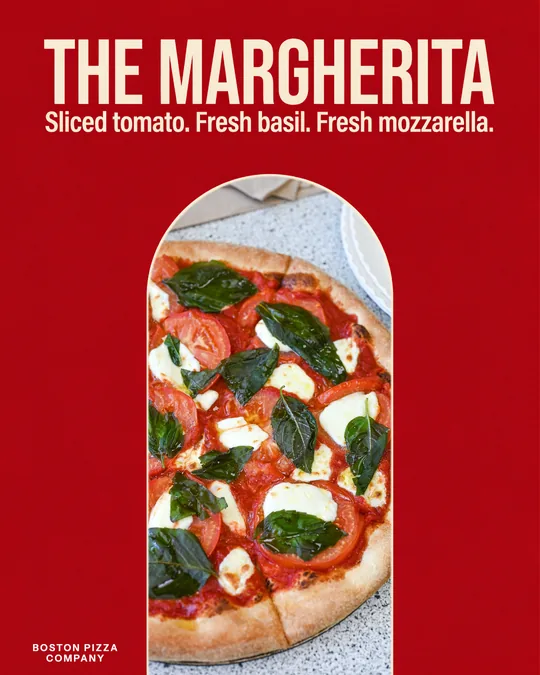
The examples on this page were made in Studio for Boston Pizza in Norwell, MA, from their own photos and menu, including their Margherita and a Steak & Cheese sub. Your posts would use your pies.

11 ideas

What to post: pizza ideas

Each idea links to the Studio tool or template that makes it.

  1. 1

    The cheese pull

    Film the first slice coming off a fresh pie, slowly, with the phone close and the oven light behind it. Keep it under ten seconds and stop the moment the cheese breaks. It's the one clip people watch twice, so put the pie's name on screen and let the food do the rest.

    Make it with Reel maker →
  2. 2

    Slice vs pie price card

    Put a slice and a whole pie side by side with both prices. It answers the question most people have before they walk in: is it cheaper to just get the pie? A price card pulls both numbers from your menu, so it's right even after you change prices.

    Make it with Menu poster maker →
  3. 3

    The Friday family deal

    Two large pies, a side and a bottle of soda, one price. Post it Thursday night and again Friday around mid-afternoon, when parents are deciding dinner. An offer flash video puts the price front and center and runs as a Story or Reel.

    Make it with Offer flash video →
  4. 4

    Basil on the Margherita

    A still photo of a Margherita becomes a short video with fresh basil drifting down onto the pie. It's a good way to get motion out of a photo you shot months ago. Boston Pizza's falling-basil video is at the top of this page.

    Make it with Falling Garnish AI video →
  5. 5

    Build the pie

    Show the toppings going on one by one: sauce, cheese, pepperoni, then the finished pie. It works well for a specialty pie people don't order because they aren't sure what's on it. The ingredient build video does this from your photo, no credits needed.

    Make it with Ad maker →
  6. 6

    Lunch slice special

    If you sell by the slice at lunch, say so before 11. Two slices and a drink, today only, with the price in big type. Make one daily special design and change the pie each day.

    Make it with Daily special maker →
  7. 7

    New pie on the menu

    A new specialty pie deserves more than one post. Launch it with a new item drop on the first day, then show it again as a dish video a week later for the people who missed it.

    Make it with New item drop video →
  8. 8

    Not just pizza

    Most pizzerias sell subs, wings or salads that nobody knows about. Give your best one its own dish story. Boston Pizza's Steak & Cheese sub video shows how a non-pizza item can carry a post on its own.

    Make it with Dish story video →
  9. 9

    Game-night window sign

    On big game days, a sign on the door with your pie deal and your phone number does real work. Print the window sign for the glass and post the same design to Stories so the two match.

    Make it with Window sign design →
  10. 10

    Order online, on Google

    A lot of pizza orders start with someone searching your name. A short order-online post on your Google Business Profile, sized for Google, tells them where to order without leaving the search page.

    Make it with Google Business post maker →
  11. 11

    Close in on the crust

    If your crust is the thing people talk about, move the camera into it. The Close-Up Dive motion pushes slowly from the whole pie into the char and bubbles. It uses credits, so save it for your signature pie.

    Make it with Close-Up Dive AI video →
Real examples

Made in Studio for a real restaurant

Falling Garnish — AI video · Boston PizzaAI
Dish story — Editorial · Boston Pizza
Price card, made for Boston Pizza
Price card · Boston Pizza
Offer flash — Poster · Boston Pizza
Big-price deal card, made for Boston Pizza
Big-price deal card · Boston Pizza
Close-Up Dive — AI video · Boston PizzaAI
Menu board, made for Boston Pizza
Menu board · Boston Pizza
Ingredient build — Poster · Boston Pizza
Dish story — Steak & Cheese · Boston Pizza
Google Business cut — Native · Boston Pizza
Window sign, made for Boston Pizza
Window sign · Boston Pizza
Your words, lettered — Arch, made for Boston Pizza
Your words, lettered — Arch · Boston PizzaAI

Made for Boston Pizza (Norwell, MA) in Servestack Studio, from their own photos and menu.

What to shoot in a pizzeria

Shoot near a window or under the brightest light in the kitchen, and wipe the rim of the tray. You don't need a new camera. Upload what you shoot and Studio matches each photo to the item on your menu.

  • The whole pie from straight above, on the peel or the tray, right after it's cut.
  • One slice lifted at an angle, with the cheese still stretching.
  • The oven: the pie going in or coming out. Five seconds is plenty.
  • The box closing at the counter, for order-online and pickup posts.
  • Your non-pizza best seller, alone on a plate, so it gets its own post.

When pizza posts should go out

Pizza is a same-day decision, usually made a few hours before dinner. Post the night's deal in the afternoon, not at 9 pm after you've closed. Put the lunch slice up in the morning, before people have picked a place.

A simple week: a price card on Monday, a dish video mid-week, the family deal Thursday and Friday afternoon, and a Reel from Saturday's service on Sunday. Make them in one sitting and schedule them, so the Friday post goes out even when the line is out the door.

Also running online ordering? See Servestack for pizzeria restaurants.

FAQs

Frequently asked
questions

What should a pizzeria post on social media?
Post your pies with their prices, your weekly deals and short videos of the food coming out of the oven. One clear pie and one price beats a busy collage.
How often should a pizza shop post?
Three or four times a week is a realistic rhythm for most shops. Studio lets you make a week of posts in one sitting and schedule them ahead.
Can I make pizza posts from photos I already have?
Yes. Upload the pie photos on your phone and Studio turns them into price cards, deal posts and dish videos. Makeover can give an older photo a new layout and captions.
Will Studio change how my pizza looks?
No. Every post uses your own photo of your own pie. AI can move the camera or add drifting basil, but it never invents or swaps the food.
Can I make a post for National Pizza Day?
Yes. Use an offer flash or deal card with your menu prices and schedule it for the day. There's a full page of National Pizza Day post ideas linked below.
Do pizza Reels and price cards use credits?
No. Template designs, dish videos and Reels from your own clips use no credits. Only AI work, like the falling basil video, uses credits, and 600 come with the $49 plan each month.
Keep exploring

More from Servestack Studio

Related tools See all

Reel makerThe clips on your phone and the dishes on your menu, turned into Reels you'd actually post.Menu poster makerYour menu prices on a board, a card or a window sign, without retyping a single one.Food photo to videoOne photo of your real dish in, a short moving shot out. The food stays exactly what you serve.

Templates to try See all

Offer flash videoPut the price where people see it first, on a dish they can actually order.Falling Garnish AI videoLeaves drift down, the light shifts, and the dish in the middle stays exactly yours.

By type of restaurant See all

BurgerGet the burger on screen while it still looks the way it did at the pass.Mexican & taqueriaTaco Tuesday every week, the big dates on the calendar, and your real food in every post.

Post ideas See all

National Pizza Day post ideasEverything a pizzeria needs to post for February 9, from the teaser to the thank-you.Super Bowl post ideasPre-orders, game-day hours and a Valentine's twist, planned out for Sunday, February 14.

Make this week's posts from your own menu.

$49/month with 600 credits included. Already on Servestack Starter or Scale? Studio is included.

Start freeAlready have Servestack? Open Studio