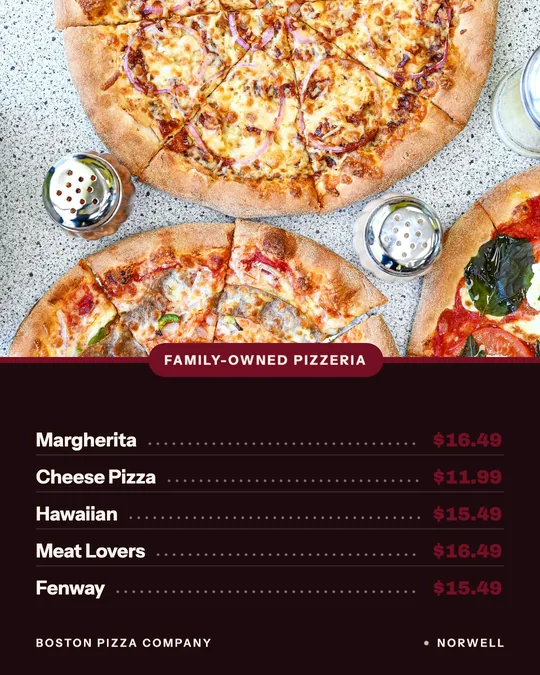
We put Servestack Studio first because this site is ours and it is made for restaurants. The rest are general tools, each listed with what it is best for, its published starting price and whether it has a free tier. Prices change, so confirm on each official page.
1. Servestack Studio: best for restaurants
Servestack Studio is an AI marketing studio made for restaurants. It starts from your restaurant's name, logo, brand color and menu, and can import your menu and brand from your website or read a printed menu from a photo. From there it makes menus, flyers, posters, dish photos, social posts, ads, hiring posters and reels.
For video it has Make a reel, Reel from clips and Quick fix video modes. It is credit-based, with plans and credit details shown at signup at studio.servestack.ai, and it pairs with commission-free Servestack online ordering. We do not list a price here. It is narrower than a general platform by design, so it is the better fit when you want restaurant materials with little setup and the weaker fit if you want film-style creative work. Review every result before it is posted or printed. Studio is independent and has no affiliation with Higgsfield or any other tool on this list.
2. Canva: best for all-round design
Canva is a design platform where AI tools sit inside the same editor as templates, social posts and print layouts. Best for owners who already make flyers and posts themselves and want AI help in a familiar editor.
Pricing: Canva Pro is listed at US$144 per year per person and Business at US$250 per year per person. The monthly price was not shown on the page we read. Free tier: yes, with up to 20 Standard or Premium AI uses and no Ultra AI tools. Pro and Business show a free trial option.
3. Adobe Express: best for Firefly in a simple editor
Adobe Express is a content creation app with Adobe's generative AI built in. Best for teams already in the Adobe ecosystem or anyone who wants templates and generative edits in one place.
Pricing: Premium is US$9.99 per month with 250 generative credits per month. Adobe Firefly Pro is US$19.99 per month with 4,000 credits. Free tier: yes, with limited generative credits and no credit card required. The page also links a 30-day free trial of Premium.
4. Runway: best for AI video generation
Runway is built around AI video generation. Best for people whose main need is generating and refining video clips, and who are happy to work with prompts.
Pricing: Standard is $15 per month, or $12 per month billed annually, with 625 credits per month and no watermarks. Pro is $35 monthly or $28 annually with 2,250 credits. Free tier: yes, 125 credits, listed as one-time.
5. Kling AI: best for direct access to Kling video
Kling AI is a video and image generator in its own right. Higgsfield also offers Kling models, so this is the route if you want that model family directly. Best for creators focused on short generated video.
Pricing: the membership page lists a Standard plan at $10 per month with 660 credits per month. Kling's own credit guide lists Pro at $37 and Premier at $92 per month, and mentions first-subscription discounts. Free tier: we could not confirm from the official pages we read.
6. Krea: best for hands-on image and creative control
Krea offers AI creative tools for images and video on a compute unit system. Best for designers who want to explore and iterate visually.
Pricing: Pro is $21 per month with 20,000 compute units and a commercial license. Max is $63 per month with 60,000 units. Free tier: yes, with daily compute, but the commercial license is listed for paid plans only.
7. Leonardo.Ai: best for image generation on a budget
Leonardo.Ai is an AI image platform with token-based plans. Best for generating a lot of images at a modest monthly price.
Pricing: Essential is $12 per month with 8,500 tokens, Premium is $30 with 25,000 tokens, and Ultimate is $60 with 60,000 tokens. Free tier: yes, 150 tokens per day. Paid subscribers retain ownership of creations for commercial projects, per the pricing page.
8. CapCut: best for editing short video
CapCut is a video editor with AI credits on its paid plans. Best for owners who shoot clips on a phone and want to cut, caption and polish them, rather than generate footage from scratch.
Pricing: Pro is US$19.99 per month with 1,200 monthly AI credits. Ultra is US$79 per month with 8,645 credits. Teams is US$12.49 per month per seat. Free tier: yes, a Free plan is listed at $0.
How to choose among Higgsfield competitors
Start with the job. If the job is restaurant marketing in general, meaning menus, flyers, dish photos, hiring posters and a few reels, pick a restaurant-specific tool or a design editor with templates. If the job is generating clips from prompts, compare Runway, Kling and Higgsfield on credit cost per clip, not on the headline monthly price. If the job is polishing footage you already shot, an editor like CapCut may do more for less.
Whatever you pick, test the free tier first where one exists, check whether commercial use is included, and compare what a typical month of your own work would cost in credits. Credits are not comparable across tools, so count finished pieces, not credits. A tool with a larger credit number is not automatically better value, because each tool charges different amounts for the same kind of output.
A last practical point for restaurants: a single tool rarely does everything. Many owners keep a design editor for quick posts, one video tool for reels, and a restaurant-specific studio for menus, hiring posters and dish photos. Think about which pieces you make every week, and choose first for those, then fill gaps. Also look at who will actually use the tool. A tool that only one person understands tends to go quiet when that person is busy or leaves.
| Tool | Best for | Starting paid price (as published) | Free tier |
|---|---|---|---|
| Servestack Studio | Restaurant menus, flyers, dish photos, hiring posters, reels | Shown at signup | See signup |
| Canva | All-round design with AI tools | Pro US$144 per year | Yes, up to 20 AI uses |
| Adobe Express | Templates plus Firefly generative AI | Premium US$9.99 per month | Yes, limited credits |
| Runway | AI video generation | Standard $15 per month ($12 annual) | Yes, 125 credits one-time |
| Kling AI | Kling video and image generation | Standard $10 per month | Not confirmed |
| Krea | Visual exploration and image creation | Pro $21 per month | Yes, daily compute |
| Leonardo.Ai | Budget image generation | Essential $12 per month | Yes, 150 tokens per day |
| CapCut | Editing short video | Pro US$19.99 per month | Yes |
| Higgsfield (for reference) | Many models across video and images | Starter $19 per month | Yes, limited, no commercial use |
Sources, checked on the dates shown: Higgsfield pricing page (accessed 2026-10-10) · Canva pricing (accessed 2026-10-10) · Adobe Express pricing (accessed 2026-10-10) · Runway pricing (accessed 2026-10-10) · Kling AI membership plans (accessed 2026-10-10) · Kling credit cost guide (accessed 2026-10-10) · Krea pricing (accessed 2026-10-10) · Leonardo.Ai pricing (accessed 2026-10-10) · CapCut pricing (accessed 2026-10-10) · Servestack Studio. Third-party names are trademarks of their owners, used here only to compare products. Servestack Studio is independent and not affiliated with or endorsed by them.